

How to Clean Laser Engraved Crystals
Oct 5th 2026
Table of Contents
- Why Proper Cleaning Matters for Laser-Engraved Crystals
- What You'll Need: Materials and Tools
- Step-by-Step: How to Clean 3D Crystal Engravings
- How to Remove Fingerprints from Crystal
- Cleaning Inside 3D Subsurface Engravings
- Can You Erase Laser Engraving from Crystal?
- Common Mistakes to Avoid
- Routine Maintenance and Storage
- Frequently Asked Questions
Last Updated: October 5, 2026
Why Proper Cleaning Matters for Laser-Engraved Crystals
Clean laser engraved crystals are treasured keepsakes. They hold memories of weddings, births, losses, and achievements. But dust, fingerprints, and residue can cloud their beauty over time. The good news is that cleaning laser engraved crystals is straightforward when you know the right approach.
At Crystal Prints, we've spent over 22 years creating premium 3D subsurface laser-engraved crystal keepsakes. We understand how important it is to keep these pieces looking pristine. The right cleaning method protects the engraving and maintains the crystal's optical clarity.
Improper cleaning can scratch the surface or damage the engraved lines. Using harsh chemicals or rough materials creates permanent damage. This guide shows you exactly how to clean your crystal keepsake safely and effectively.
What You'll Need: Materials and Tools
Gathering the right supplies makes cleaning easier and safer. You don't need expensive products. Most items are likely in your home already. The key is choosing materials that are soft enough for optical crystal and mild enough not to cloud the surface or attack any coating.
The Best Cloth for Cleaning Crystal
A microfiber cloth is your best choice for cleaning crystal. Microfiber is soft, lint-free, and won't scratch the surface. It traps dust and oils without leaving residue behind.
Cotton cloths and paper towels leave fibers behind. Regular tissues scratch the surface. Avoid these materials entirely.
For best results:
- Use a fresh, clean microfiber cloth each time
Choosing a Cleaning Solution
Water alone works for light dust and fingerprints. For stubborn residue, you need a gentle cleaning solution. The goal is to lift oils and dust without leaving a film or softening any coating on the crystal or its base.
Safe options for laser-engraved crystals include:
- Distilled water, removes dust and light marks without chemicals. Tap water can leave mineral spots, so distilled is worth the small cost.
- Isopropyl alcohol, cuts through oils and fingerprints. Use 70% isopropyl diluted with equal parts distilled water. Higher concentrations evaporate too fast and can leave streaks.
- Denatured alcohol, stronger than isopropyl. Use sparingly on stubborn residue and only on uncoated crystal.
- Mild dish soap, mix one drop with one cup of distilled water for light cleaning. Rinse the cloth, not the crystal.
Never use:
- Abrasive cleaners or scouring powders
- Glass cleaners with ammonia
- Vinegar or citrus-based cleaners (too acidic for crystal)
- Bleach or harsh chemicals
- Acetone, nail polish remover, or paint thinner
Cleaning Bases, Coatings, and Attached Components
Many laser-engraved crystals sit on a wooden, acrylic, or metallic base, and some have a coated back or a printed plaque. Clean these separately from the crystal.
- Wood bases: wipe with a dry microfiber cloth. Avoid water, which can raise the grain or loosen adhesive.
- Acrylic or metal bases: use a slightly damp cloth with distilled water. Dry immediately to prevent water spots.
- Coated crystal: stick to distilled water and a dry buff. Alcohol can dull some coatings.
- Adhesives: never soak a crystal with an attached base. Water can weaken the bond and cause the base to separate.
- Electronics: if the base has an LED or light, remove power before cleaning and never spray liquid near it.
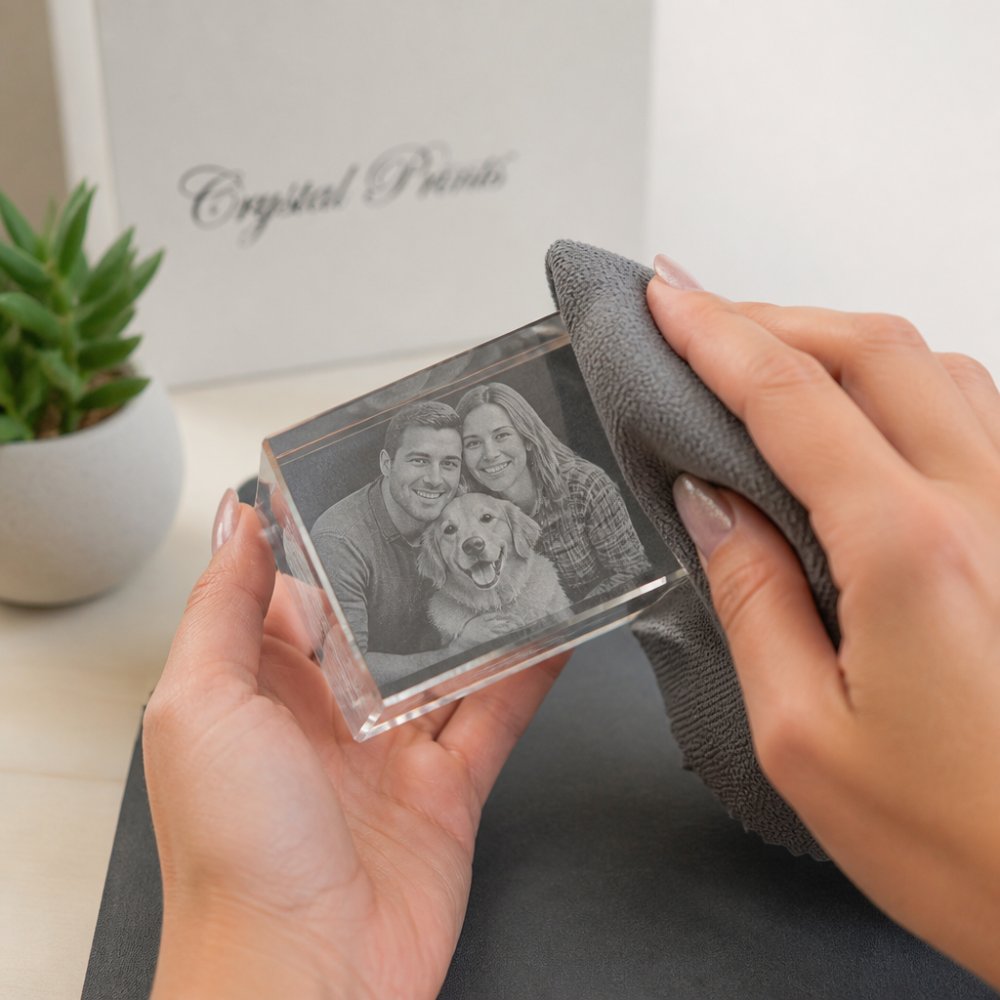
Step-by-Step: How to Clean 3D Crystal Engravings
Cleaning a 3D laser-engraved crystal takes about 10 minutes. Follow these steps to protect your keepsake while removing dirt and smudges.
Removing Dust and Light Debris
Start by removing loose dust. This prevents dragging particles across the surface.
- Hold the crystal over a soft surface like a towel
- Use a dry microfiber cloth to gently wipe away loose dust
- Use light, circular motions, never press hard
- Pay attention to crevices where dust collects
- Inspect the engraved lines for trapped particles
For stubborn dust in deep engravings, use a soft brush or compressed air. Hold the can upright and use short bursts. Never shake the can.
Cleaning the Engraved Surface
Once loose dust is gone, clean the entire surface with your chosen solution.
- Dampen the microfiber cloth, not soaking wet, just slightly moist
- Wipe the crystal gently in circular motions
- Pay extra attention to the engraved areas
- For fingerprints, apply light pressure and let the cloth do the work
- If needed, use a fresh section of the cloth for a second pass
For 3D subsurface engravings, the process is the same. The laser creates the image inside the crystal, so you're cleaning the surface only. Never try to clean inside the crystal.
Drying Your Crystal Keepsake
Proper drying prevents water spots and streaks.
- Use a clean, dry microfiber cloth to remove moisture
- Wipe gently in one direction, not circular motions
- Pay special attention to edges and the base
- Allow the crystal to air-dry completely before displaying
- If water spots appear, use a dry cloth to buff them away
For a final shine, use a dry microfiber cloth and gentle circular motions. This removes any remaining streaks.
How to Remove Fingerprints from Crystal
Fingerprints are the most common issue with crystal keepsakes. Oils from skin leave visible marks that dull the surface.
The best approach is prevention. Handle your crystal by the edges or base, not the engraved surface. When fingerprints do appear, remove them quickly.
For fresh fingerprints:
- Dampen a microfiber cloth with distilled water
- Wipe gently over the affected area
- Dry immediately with a clean cloth
For stubborn fingerprints:
- Mix one part isopropyl alcohol with one part distilled water
- Apply to the microfiber cloth, not directly to the crystal
- Wipe the area gently
- Dry with a clean cloth
Never use your bare fingers to rub fingerprints away. This adds more oils. Always use a cloth.
Cleaning Inside 3D Subsurface Engravings
The 3D laser engraving process creates images inside the crystal, not on the surface. This means dust and debris cannot get trapped inside. The engraving is protected by the crystal itself.
You only need to clean the outer surface. The internal image remains pristine as long as the crystal is intact.
Order your personalized laser-engraved gift today →
How to Tell Internal Marks from Surface Residue
A common frustration is seeing a spot or haze and not knowing whether it is on the surface or inside the crystal. Here is how to tell the difference:
- Surface residue sits on top of the crystal. It usually wipes away with a damp microfiber cloth and looks like a smudge, fingerprint, or dust line.
- Internal marks appear inside the crystal and do not move when you wipe the surface. They may look like tiny bubbles, fractures, or a faint cloud along the engraved lines.
- Engraving defects can look like haze or uneven lines. These are part of the laser process and cannot be cleaned away.
If a mark does not change after a gentle damp wipe and a dry buff, it is almost certainly inside the crystal or part of the engraving. Do not keep scrubbing. Over-cleaning can dull the surface and make the defect more visible.
What Not to Do with Subsurface Engravings
- Never try to clean inside the crystal. There is no safe way to reach the internal image, and any attempt to inject liquid or use pressure can crack the crystal.
- Never soak the crystal to "lift" an internal mark. Water cannot reach the engraving and may damage the base or coating.
- Never use heat, such as a hair dryer or hot water, to clear haze. Thermal shock can fracture optical crystal.
- Never polish with abrasive compounds. They scratch the surface and can make the engraving look cloudy.
Caring for Coatings and Attached Components
Some crystals have a reflective coating, a colored film, or a base with an LED. These parts need different care than the crystal itself.
- Coatings: use distilled water only. Alcohol and ammonia can break down the coating over time.
- LED bases: remove power before cleaning. Wipe the base with a dry cloth and keep liquid away from the switch and battery compartment.
- Adhesives: avoid soaking.
Can You Erase Laser Engraving from Crystal?
No, you cannot erase a laser engraving from crystal. The laser removes material or creates fractures inside the crystal to form the image. This is permanent.
Laser engraving cannot be reversed with chemicals, heat, or polishing. The process is one-way. This permanence is why laser-engraved crystals make such meaningful keepsakes, they truly are forever.
Common Mistakes to Avoid
Protect your crystal by avoiding these common errors.
Using paper products, Paper towels and tissues are rough. They leave fibers and scratch the surface. Stick with microfiber cloths only.
Applying too much pressure, Scrubbing hard doesn't clean better. It damages the surface and can blur the engraved image. Use gentle, light pressure.
Using household cleaners, Glass cleaners, furniture polish, and all-purpose cleaners leave residue or damage crystal. Stick to water or diluted alcohol.
Soaking the crystal, Submerging your crystal risks water damage and can affect any coatings or bases. Always use a damp cloth instead.
Cleaning when wet, Wiping a wet crystal creates streaks. Let it air-dry or use a clean, dry cloth to finish drying first.
Ignoring the base, If your crystal sits in a velvet-lined box or has a wooden base, clean those separately. Dust on the base can transfer to the crystal.
Storing in direct sunlight, UV light can fade some coatings over time. Store your crystal in a cool, dark place.
Routine Maintenance and Storage
Regular care keeps your clean laser engraved crystals looking beautiful for decades.
Weekly care:
- Dust with a dry microfiber cloth
- Wipe fingerprints as they appear
- Store in a dust-free location
Monthly care:
- Do a full cleaning with your chosen solution
- Inspect for any damage or cloudiness
- Clean the base or stand if present
Storage tips:
- Keep crystals in the velvet-lined box they arrived in
- Store away from direct sunlight and heat
- Avoid areas with high humidity
- Keep away from vibration or heavy traffic
- Never stack crystals on top of each other
For corporate awards or memorial pieces, store them in a cool cabinet or display case. This protects them from dust and accidental damage while keeping them visible.
When displaying your crystal, position it where it catches light naturally. This showcases the 3D engraving and creates a beautiful visual effect. Avoid placing it near heaters, air conditioning vents, or windows with direct sun exposure.
Frequently Asked Questions
Can you use glass cleaner on a laser-engraved crystal?
Standard glass cleaners containing ammonia or harsh chemicals can damage the optical clarity of your laser-engraved crystal over time. For laser-engraved crystals, gentle methods preserve both the engraved surface and the crystal's transparency.
How often should you clean a laser-engraved crystal keepsake?
Clean your laser-engraved crystal with gentle dry dusting using a microfiber cloth. Storage in a velvet-lined box or display case reduces dust accumulation and extends the time between cleanings.
What is the safest cleaner for engraved crystal?
Distilled water alone works for light cleaning. Avoid ammonia-based glass cleaners, vinegar, and abrasive solutions.
Can laser-engraved crystal be scratched during cleaning?
Yes, crystals can scratch if cleaned improperly. Use only soft microfiber cloths, never paper towels or rough fabrics. Apply gentle pressure. Never use abrasive scrubbers, scouring pads, or stiff brushes. The 3D subsurface engraving itself is protected inside the crystal and cannot be scratched by external cleaning.
Your laser-engraved crystal is built to last a lifetime. With the right cleaning approach, it will remain clear and vibrant for generations. At Crystal Prints, we create these keepsakes to preserve your most precious memories, and proper care ensures they stay that way. Start with a microfiber cloth and distilled water, and you'll protect your treasure for decades to come.