

How to Preserve Memories in Crystal: A 2026 Guide
Oct 1st 2026
Table of Contents
- Why Crystal Keepsakes Outlast Paper and Digital Photos
- How 3D Subsurface Laser Engraving Turns a Photo Into Crystal
- The Best Photos for Laser Crystal Engraving
- Choosing Crystal Type, Shape, and Size for Your Keepsake
- Personalized Crystal Memorial Gifts for Loved Ones and Pets
- How to Clean 3D Crystal Keepsakes Without Damaging Them
- When Engravings Go Wrong: File Requirements and Fixes
- Frequently Asked Questions
Last Updated: October 1, 2026
Why Crystal Keepsakes Outlast Paper and Digital Photos
To preserve memories in crystal means converting a photograph into a three-dimensional image inside a block of optical glass using a laser, so the picture can never fade, tear, or corrupt. This guide from Crystal Prints covers the full process, from choosing the right photo to cleaning the finished piece decades later.
How 3D Subsurface Laser Engraving Turns a Photo Into Crystal
Subsurface laser engraving is a process that focuses a laser beam through the surface of optical glass and creates tiny fracture points inside the material, building a three-dimensional image point by point. The surface stays perfectly smooth while the image floats inside.
From 3D Conversion to Laser Dots Inside the Glass
The workflow starts with 3D conversion. Software analyzes your photo's depth and shading, then maps it into a cloud of points. The laser fires thousands of pulses per minute, each one creating a microscopic dot inside the crystal. Where dots cluster tightly, the image looks bright and dense. Where they're sparse, it looks soft and dimensional. That variation is what creates the tonal quality, and it's also why pixel density in the source file matters so much.
Corning Museum of Glass on optical glass properties
The Best Photos for Laser Crystal Engraving
The best photos for laser crystal engraving are sharp, well-lit, and feature a clear subject against a simple background. Faces should be large in the frame, and the image should be at the highest resolution you have.
- Sharp focus on the subject. Motion blur and soft focus reduce quality.
- Even, natural lighting. Harsh shadows hide facial detail; flat lighting preserves it.
- A clean background. Busy backgrounds compete with your subject inside a small crystal block.
- High resolution. More pixels means more dots, and more dots means more detail.
Rescuing Old, Low-Resolution Family Photos
A grainy photo from the 1980s can still become a beautiful keepsake, but it needs work first. A common mistake is uploading the scan at whatever size the scanner defaulted to and hoping for the best.
Choosing Crystal Type, Shape, and Size for Your Keepsake
Crystal type, shape, and size determine how much detail your image can hold, how deep the 3D effect reads, and where the finished piece will live.
K9 Crystal vs. Optical Glass: What Actually Matters
The word "crystal" on a product page is a marketing term, not a specification. K9 crystal is the best for optical clarity.
How Shape and Size Change the Engraving
Larger blocks allow deeper depth mapping and a stronger three-dimensional effect because the laser has more physical space to place dots along the z-axis. Smaller pieces compress that depth, so the image reads flatter even when the file is perfect.
Crystal Format | Best For | Detail Capacity | Depth Range |
|---|---|---|---|
Small block (roughly 2-3 in.) | Desk display, single portrait | Moderate | Shallow |
Medium block (roughly 4-5 in.) | Couple or family portrait | High | Medium |
Large block (6 in. and up) | Group scenes, memorial tributes | Highest | Deep |
Heart or custom shape | Anniversaries, memorials | Varies by size | Varies |
Cube or rectangle | Clean, modern display | High | Deep |
Structural Integrity and Temperature
K9 Optical glass holds structural integrity across a wide temperature range, which is why it survives shipping and decades on a mantel without clouding. Lesser materials, some acrylics and low-grade glass composites marketed as crystal, develop a faint fog or yellow cast over time as they oxidize or absorb moisture. That clouding is irreversible.
Personalized Crystal Memorial Gifts for Loved Ones and Pets
Personalized crystal memorial gifts turn a photograph into a permanent tribute that can sit on a mantel, a desk, or a graveside without weather damage. For many families, they replace the photo frame that would otherwise yellow within a decade.
American Psychological Association on continuing bonds and grief
How to Clean 3D Crystal Keepsakes Without Damaging Them
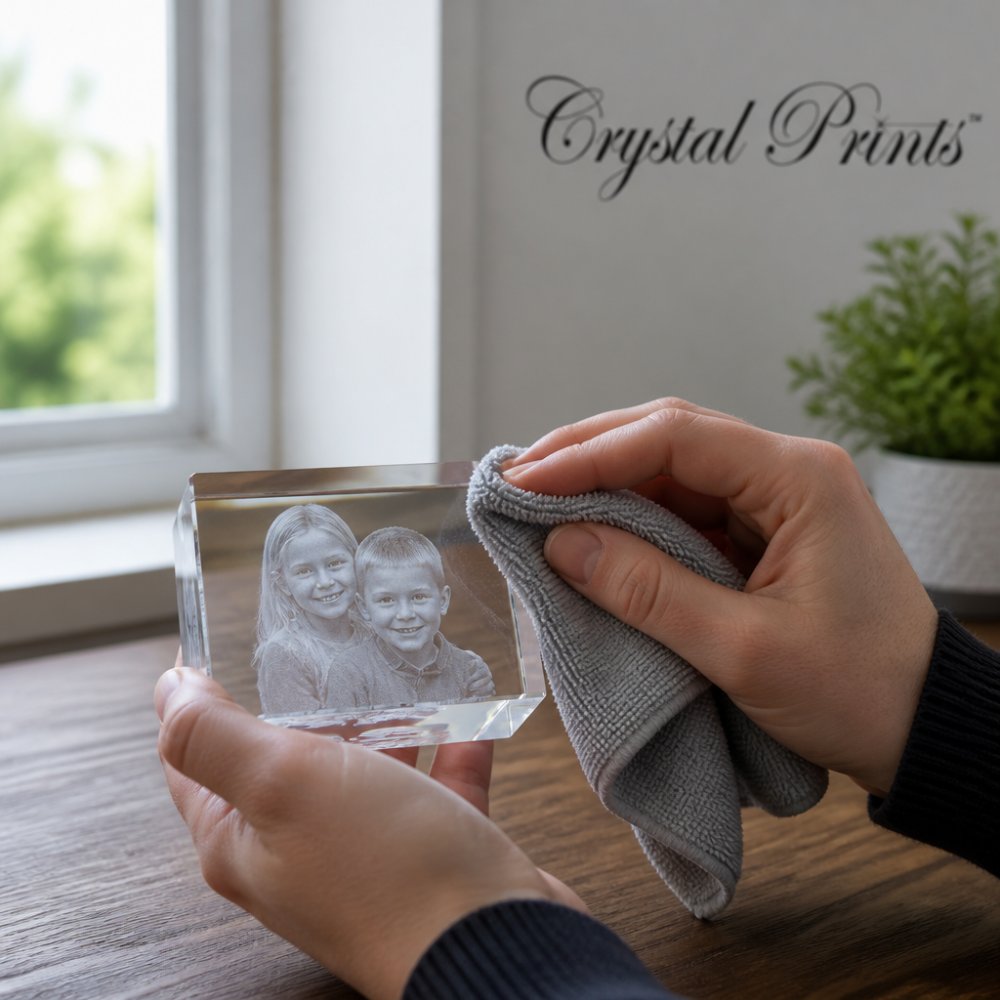
Clean a 3D crystal keepsake with a soft microfiber cloth and a mild cleaning solution, wiping in gentle circular motions. Never use paper towels, abrasive cleaners, or ultrasonic jewelry cleaners, all of which can scratch the surface or stress the internal engraving.
The Weekly and Deep-Clean Routine
A few habits keep a piece looking new for decades:
Order your personalized laser-engraved gift today →
- Dust weekly with a dry microfiber cloth. Dust is abrasive; letting it sit means you grind it into the surface the next time you wipe.
- For fingerprints, dampen the cloth with water or a diluted mild soap, then dry immediately. Never let water sit on the surface, mineral deposits etch a faint film.
- For a deeper clean, use a 50/50 mix of distilled water and isopropyl alcohol on a microfiber cloth. Distilled water avoids the calcium and chlorine in tap water that leave streaks.
- Dry with a second, dry microfiber cloth. Air-drying leaves water spots.
Handling: The Risk Nobody Mentions
The most common cause of damage isn't cleaning, it's handling. Crystal is heavy for its size, and a drop from waist height onto a hard floor can chip a corner or, worse, create an internal fracture that spreads slowly over months.
- Lift with two hands, supporting the base, not the top edges.
- Set it down on a soft surface, a felt pad, a folded cloth, or the velvet-lined box.
- Never slide the piece across a hard shelf; grit underneath acts like sandpaper.
- Keep rings, watches, and bracelets away from the surface when you pick it up.
Display Placement and Long-Term Storage
Where the piece lives matters as much as how you clean it.
- Avoid humid rooms, bathrooms and unfinished basements, where condensation can leave mineral films on the surface.
- Store the original velvet-lined box for transport. If you move, pack the piece in the box, then in a padded carton, and mark it fragile.
What Not to Do
- No ultrasonic jewelry cleaners. The vibration can stress the internal fracture points that form the image.
- No dishwasher, ever.
- No abrasive pads, scouring powders, or baking soda paste.
- No storing the piece loose in a drawer with metal objects.
When Engravings Go Wrong: File Requirements and Fixes
Most disappointing engravings trace back to the file, not the machine. Understanding the technical requirements before you order prevents almost every problem.
Technical file requirements to check before uploading:
- Format: JPEG, PNG, or TIFF for 2d images and .obj or .stl for 3D images at the highest quality setting available
- Resolution: the largest file you have, uncompressed if possible
- Color: full color is fine; the conversion handles grayscale
- Cropping: crop to the subject before uploading, not after
Common failure modes and their fixes:
Problem | Cause | Fix |
|---|---|---|
Muddy, low-contrast image | poorly focused | Rescan or request restoration |
Subject looks flat | small subject big background | Crop tighter before engraving |
Visible pixelation | low resolution image | Send the original, not a screenshot |
Detail lost in shadows | Harsh lighting | Request brightness correction |
Frequently Asked Questions
What is the best way to preserve my memories in crystal?
Start with the highest-resolution version of your photo you can find, ideally the original digital file or a sharp scan at 300 DPI or higher. Choose a crystal shape and size that matches how you plan to display it, and keep the finished piece away from extreme temperatures. A quick polish with a microfiber cloth keeps the optical glass clear for decades.
Which crystal is best for a memory keepsake?
K9 crystal is the standard choice for 3D subsurface laser engraving because its clarity and refraction let laser dots form a sharp three-dimensional image inside the block. Lower-grade glass scatters light and dulls the contrast. If you want a specific shape, such as a heart, cube, or photo frame, confirm the material is optical-grade K9 crystal before ordering.
Are 3D crystal photos fragile or easily broken?
A crystal keepsake is solid glass, so it holds its structural integrity far better than a paper print or canvas. It can still chip if dropped onto a hard surface, and rapid temperature swings can cause cracking. Display it on a stable shelf away from heat sources, and it will stay intact as an heirloom.
What types of photos work best for crystal engraving?
Portraits with a clear subject, even lighting, and good contrast convert best into 3D. Avoid photos with heavy shadows, busy backgrounds, or motion blur. If your only photo is an old, grainy print, professional photo optimization and digital rendering can often recover enough detail for a clean engraving. Crystal Prints reviews each image before production.
Can I include text or dates alongside my photo in crystal?
Yes. Names, wedding dates, birth stats, and short messages can be laser-etched alongside the image. Keep text brief, since too many characters compete with the photo for visual space. A date under a portrait or a pet's name beneath a paw print will read cleanly and adds meaning without cluttering the piece.
How does 3D laser engraving actually work for crystal photos?
Your photo goes through a 3D conversion that maps depth and brightness into points. A focused laser then fires through the surface of the crystal, creating thousands of tiny subsurface laser dots that form a three-dimensional image inside the glass. Because nothing is etched on the outside, the surface stays smooth and the image appears suspended in the crystal.
How long do 3D crystal keepsakes last?
Optical crystal does not yellow, fade, or cloud the way paper and some plastics do, so a properly cared for piece can last for generations. The engraving sits inside the glass, protected from scratches and UV exposure. Keep it away from extreme temperatures and clean it with a microfiber cloth, and it will remain a true heirloom.
How do I clean a 3D crystal keepsake safely?
Dust the surface with a soft microfiber cloth first, then wipe with a mild cleaning solution or a drop of dish soap in lukewarm water. Never use abrasive pads, ammonia-based cleaners, or hot water, which can damage the finish or stress the glass. Dry immediately with a lint-free cloth to avoid water spots on the optical surface.
Preserving a memory shouldn't depend on a hard drive surviving or a print not fading. Crystal Prints has spent 22 years turning cherished photos, logos, and artwork into 3D subsurface laser-engraved keepsakes, made in the USA with expert image editing on every order. Finished pieces arrive in velvet-lined gift boxes with free shipping. Order your personalized laser-engraved gift today and give that memory a form it can hold for generations.